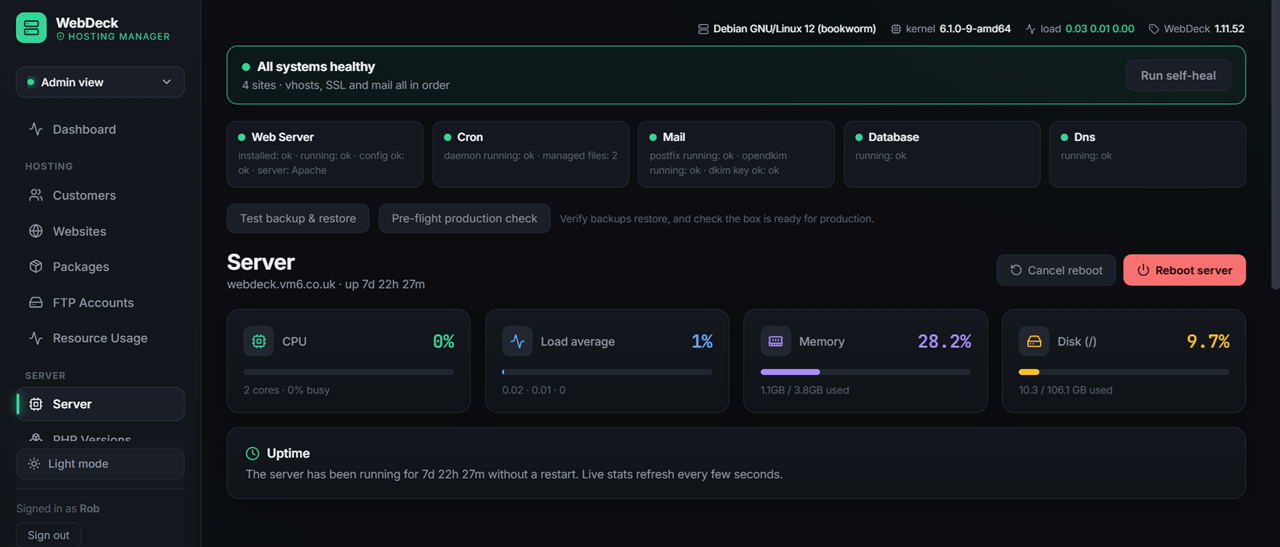
AI website builder New — 2.2.17
Describe the site you want and WebDeck builds it in front of you — a full, responsive page that appears live in a preview as it's generated. When it looks right, publish puts it live in one click.
- Build from a description — plain English in, a working page out
- Live preview — watch the page take shape as it's generated, not after
- Undo & redo — step back and forward through versions; the builder acknowledges each change
- Responsive by default — preview sits beside the chat on desktop, drops below it on a phone
- One-click publish — straight onto the site, no copy-paste
- Streamed generation — long builds stream as they're produced and never hang
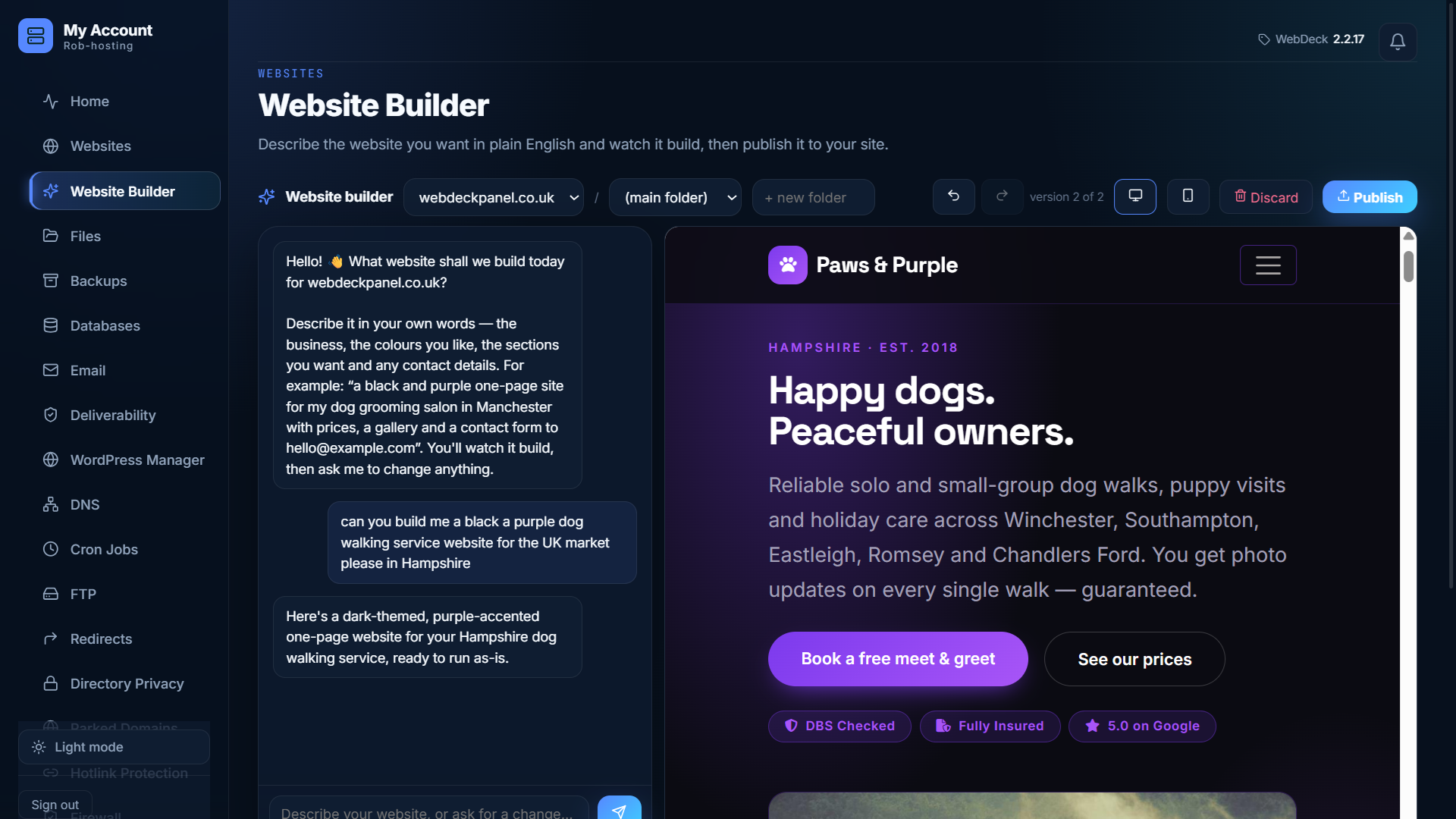
SEO tools New — 2.2.18
A search-engine check-up for every website, right in the customer panel — a score, a plain list of what to fix, and a quick way to get listed.
- SEO score out of 100 — see at a glance how a site is doing
- A plain list of what to fix — titles, descriptions, headings, image alt text, mobile, sharing previews
- One-click sitemap —
sitemap.xmlbuilt from the site’s pages - Submit to search engines — instant IndexNow push to Bing, Yandex and others
- Google, done honestly — step-by-step Search Console setup, not a fake “submitted” button
- AI advice — the results turned into a prioritised to-do list in plain English (optional)
- Private by design — reads only the site’s own files, never fetches from the internet
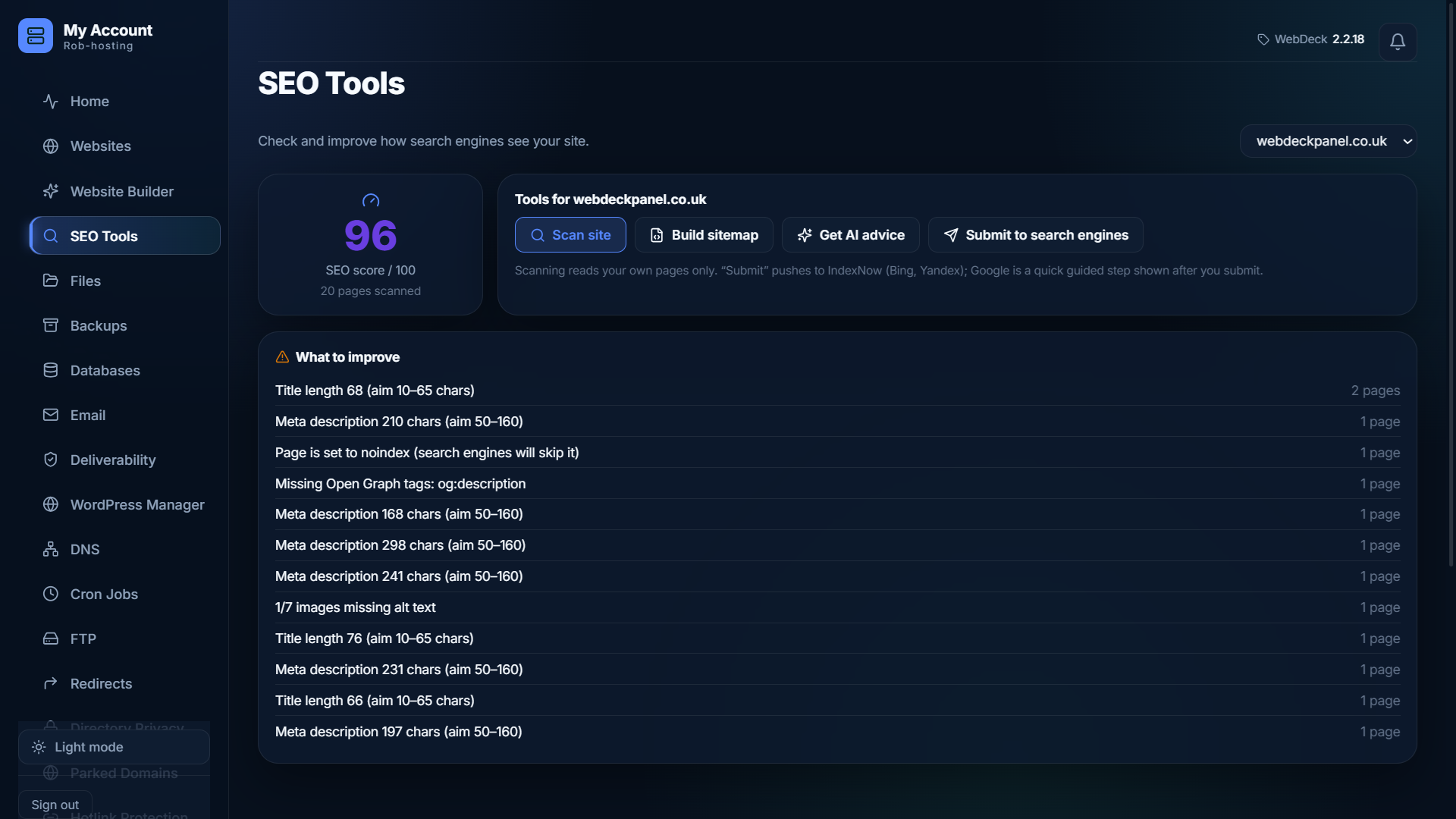
Websites & domains
Create a site and WebDeck does the lot: virtual host, document root, PHP pool, DNS zone, SSL certificate. Then hands you the tools to run it.
- Parked domains — point extra domains at a site; fleet-checked so you can only park domains you own (2.2.9)
- One-step site creation — vhost, docroot, DNS and SSL together
- Apache, nginx or OpenLiteSpeed — switch stack without rebuilding
- Free Let's Encrypt SSL, issued and renewed automatically
- Force HTTPS per site, one toggle
- URL redirects — 301s and 302s, managed from the panel
- Page caching for an instant speed-up
- Site repair — rebuild a broken site's config in one click
- Add-on domains and subdomains
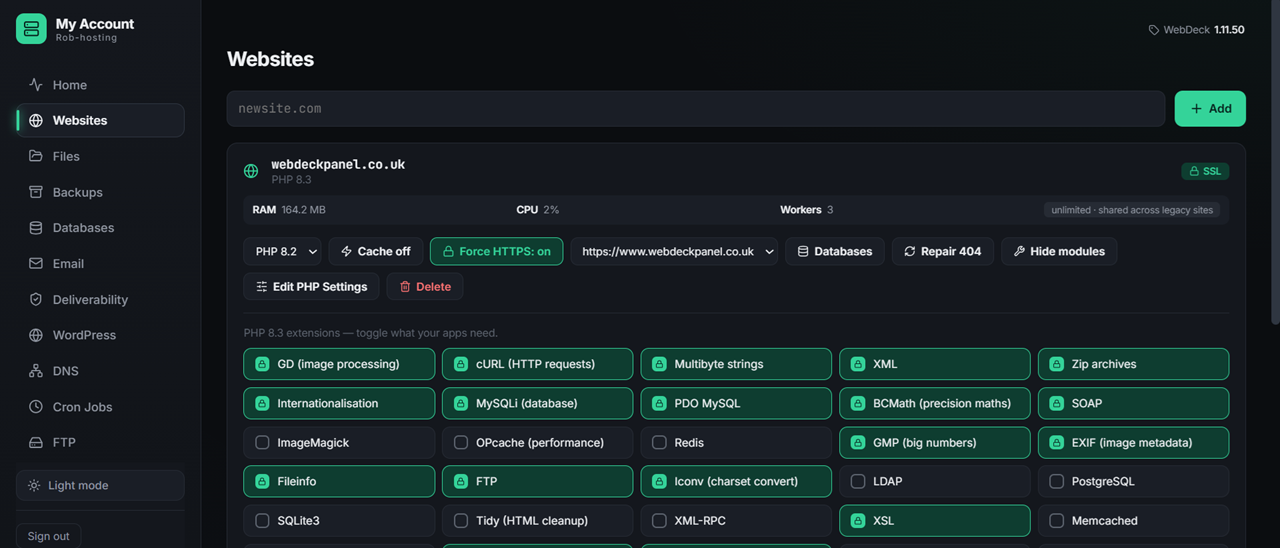
Per-site PHP environments
The headline feature, and the one cPanel needs CloudLinux for. Every website
runs its own dedicated PHP process with its own version, its own extensions, its
own php.ini and its own kernel-enforced resource limits — completely isolated
from every other site on the server. No shared PHP, no bad-neighbour effect, no
CloudLinux licence.
- Own extensions per website — a customer enables ionCube or ImageMagick on their site and it affects only their site
- Can't break the neighbours — on a shared PHP install one toggle changes it for everyone; here it's impossible
- Own PHP version — 7.4 for a legacy app, 8.3 next door, per website
- Own php.ini — memory, upload size, execution time, per site
- Own CPU / RAM / process caps — enforced by the Linux kernel, not just PHP
- Self-healing & safe — a bad module change is auto-reverted and can never take a site down; sites fall back to the shared master if their own can't start
- No CloudLinux, SELinux stays enforcing — the isolation people pay for, included
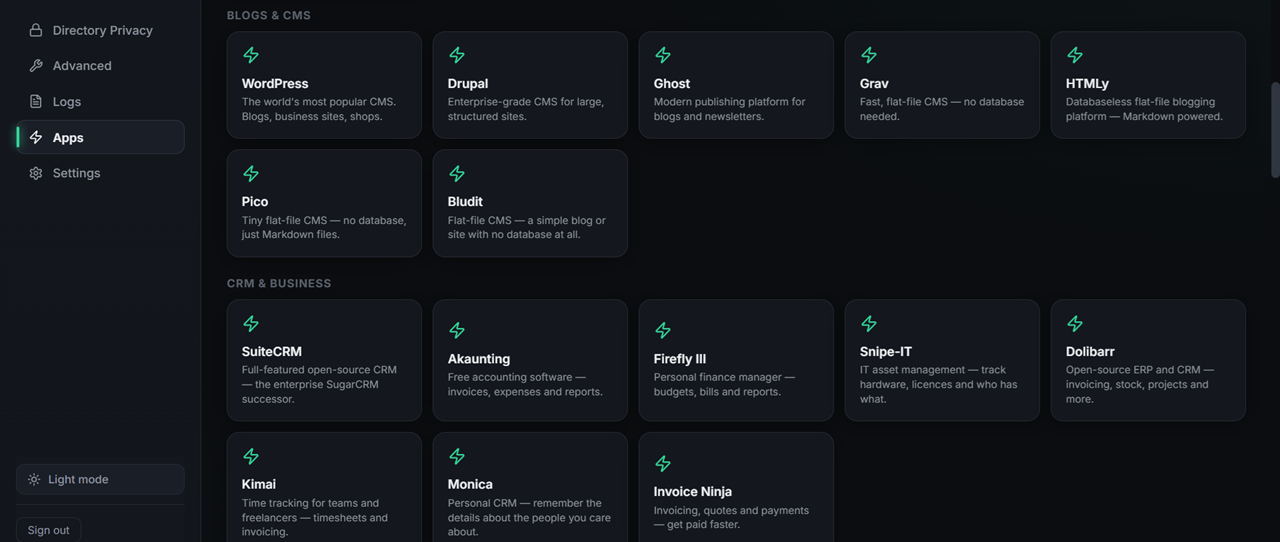
57 one-click apps
Not a token WordPress button. Fifty-seven applications, each installed properly — database created, permissions set, config written, SSL live from the first request. Apps that need Composer get their dependencies installed too, so they actually run.
- WordPress — plus a WooCommerce shop variant
- osTicket, GLPI — helpdesk and IT asset management
- SuiteCRM, Dolibarr, Invoice Ninja, Akaunting — CRM and billing
- Moodle — a full learning management system
- Nextcloud — private file sync and share
- Magento, PrestaShop, OpenCart — e-commerce
- Snipe-IT, Kimai, HumHub, Monica — Composer handled for you
- Customers install them themselves — no ticket for you
- See all 57 apps →
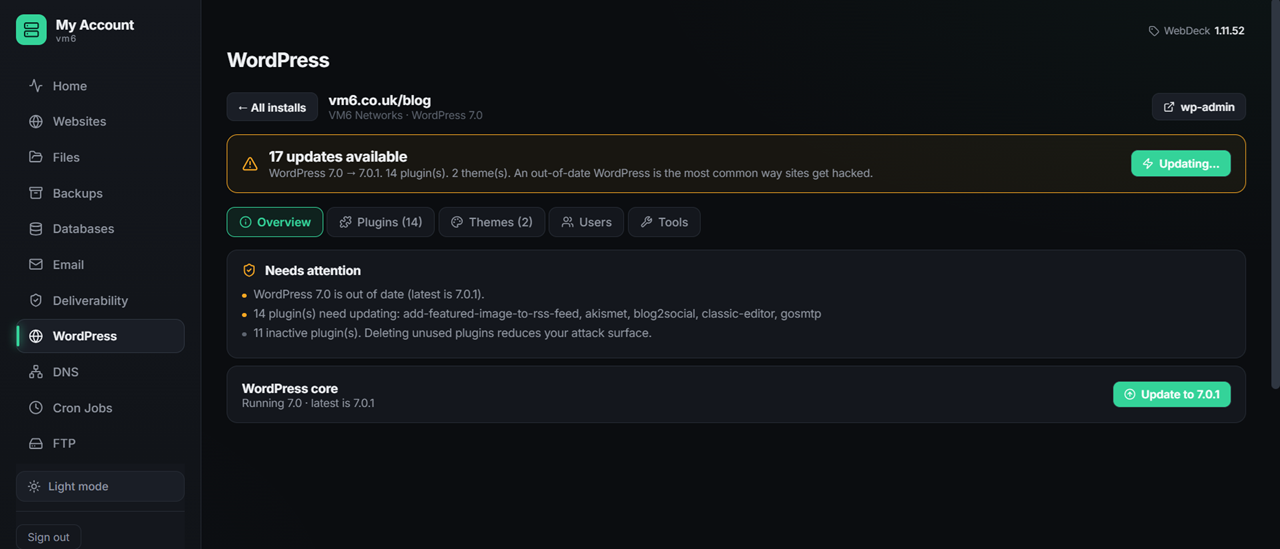
WordPress manager
WebDeck finds every WordPress install on a site — even ones in subfolders that it didn't create — and tells you which ones need attention.
- Auto-detects WordPress anywhere in the document root
- Finds installs in subfolders, not just the root
- Version checking — spot the ones that are out of date
- Reads wp-config to link each install to its database
- One-click install with database and SSL ready
- WooCommerce variant — shop-ready in a single step
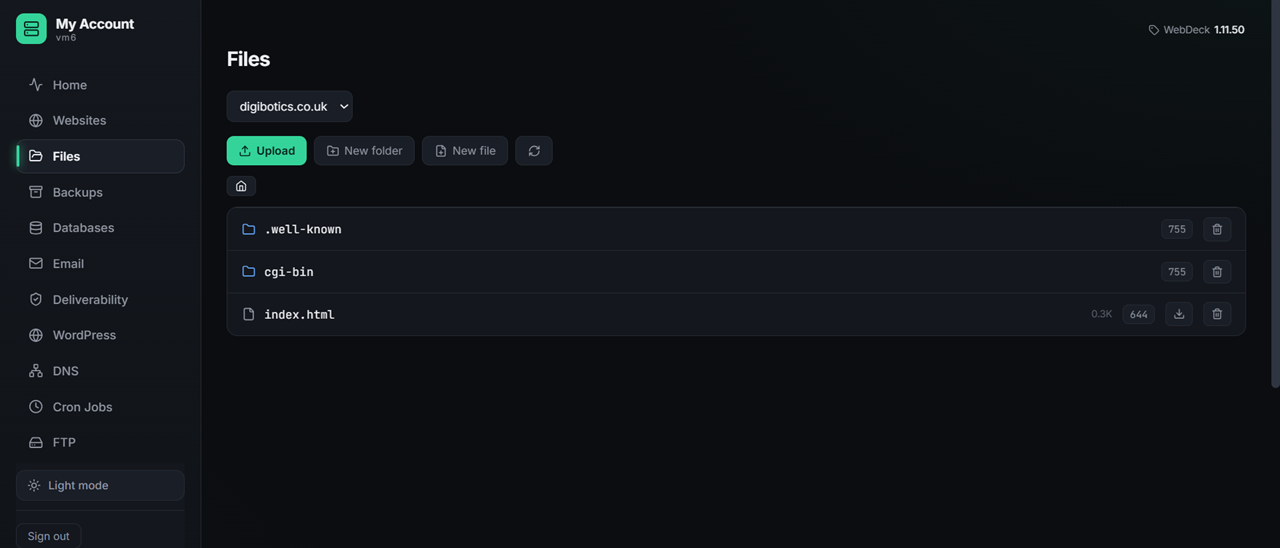
File manager
A real file manager in the browser. Fix a config typo, upload a logo, check permissions — without opening a terminal or making your customer install FileZilla.
- Browse the whole site with a proper tree view
- Edit files in the browser — syntax-friendly, saves instantly
- Upload and download — drag files straight in
- Create folders, rename, move, delete
- Change permissions (chmod) from the interface
- Scoped safely — a customer can't escape their own directory
- FTP accounts too, if they'd rather use a client
Website analytics
Built from the server's own access logs — so it works on every site with no tracking script, no third-party JavaScript, and nothing added to the page.
- Visits and hits over time
- Top pages — what people actually read
- Referrers — where the traffic came from
- Status codes — spot 404s and 500s before customers report them
- No tracking scripts — nothing added to the site
- No third parties — the data never leaves the server
- Privacy-friendly by design, not as an afterthought
- Or install Matomo in one click if they want more
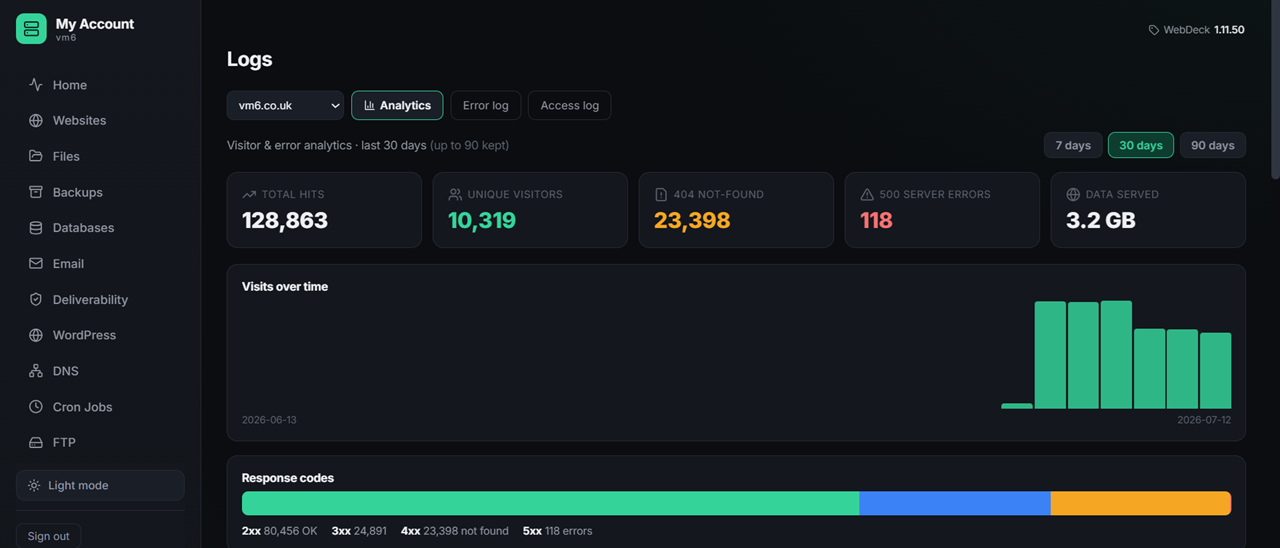
Logs, in the panel
Stop SSHing in to read a log file. Access and error logs for every site, plus mail and panel logs, right where you're already working.
- Access logs per site — see every request
- Error logs per site — the PHP errors your customer is hitting
- Mail logs — trace a message that didn't arrive
- Panel logs — what WebDeck itself has been doing
- Tail the last N lines without loading a 2 GB file
- Audit log — every administrative action, who and when
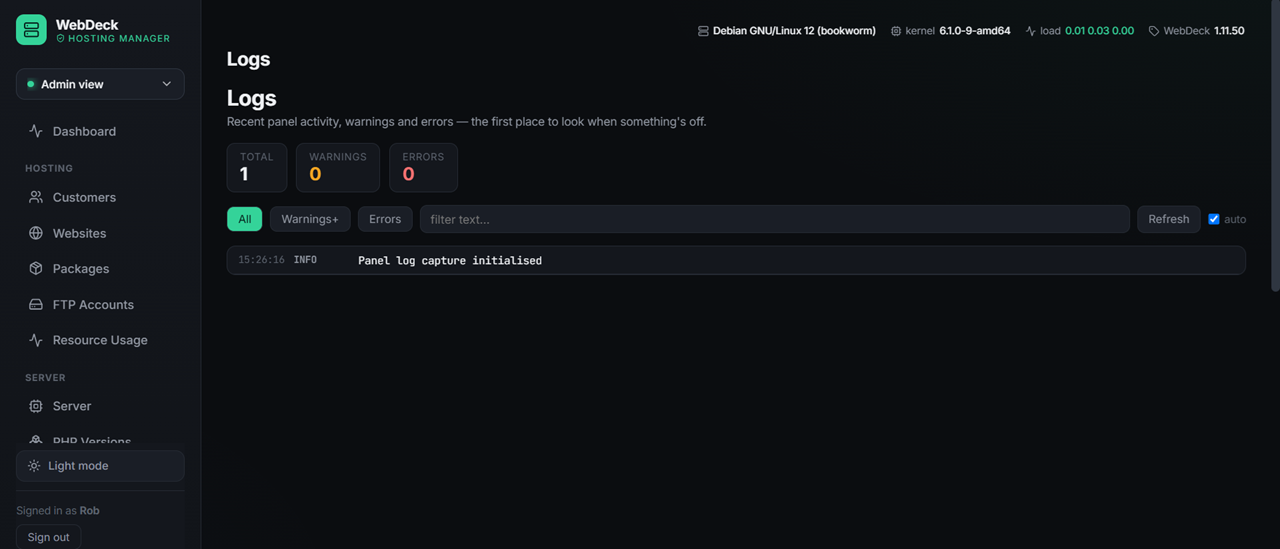
Cron jobs, made easy
Scheduled tasks without the cron syntax anxiety. Common schedules are presets; the fields are there if you know what you're doing.
- Create and edit scheduled tasks from the panel
- Presets for the common schedules — hourly, nightly, weekly
- Full cron syntax available if you want it
- Per site — each customer manages their own
- Delete a job without editing a crontab by hand
- WordPress cron — set up a real one so scheduled posts actually publish
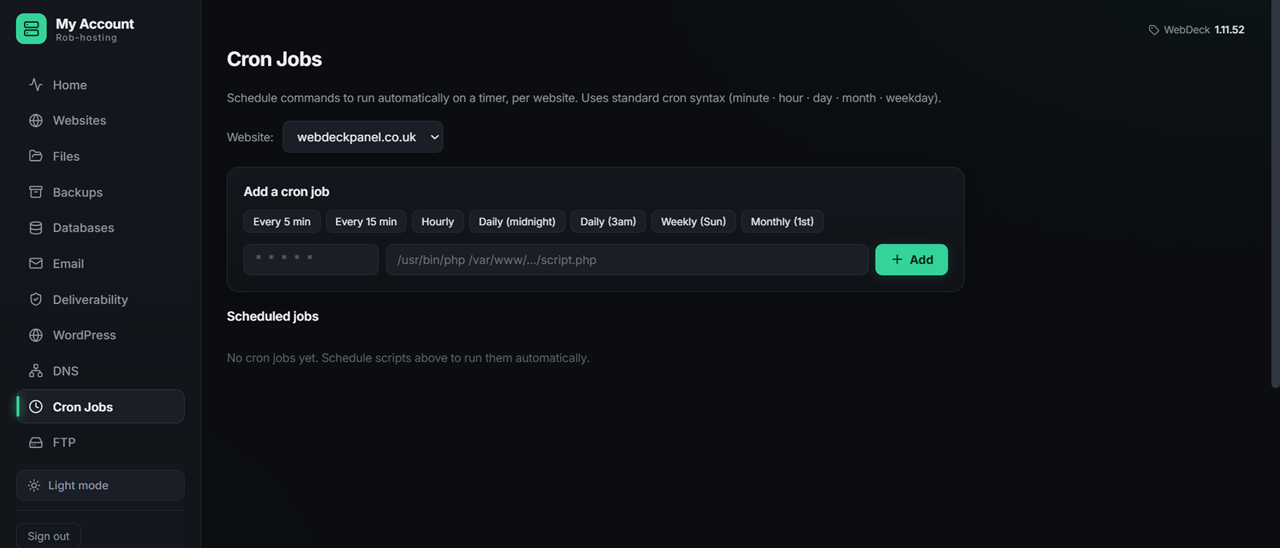
Email that lands in the inbox
A full mail server — Postfix and Dovecot — with the deliverability records set up for you. Most panels leave DKIM as homework. WebDeck does it on day one, then checks its own work.
- Unlimited mailboxes, aliases, forwarders, catch-alls
- DKIM signing — keys generated, DNS published automatically
- SPF and DMARC records created for you
- Deliverability checker — tells you what's wrong before Gmail does
- Auto-deliverability — fixes common problems on its own
- Mail self-test — proves the whole chain works, end to end
- Webmail built in — customers log in from the panel
- Autoconfig — Outlook and Thunderbird set themselves up
- SMTP relay support, and TLS hardening in one click
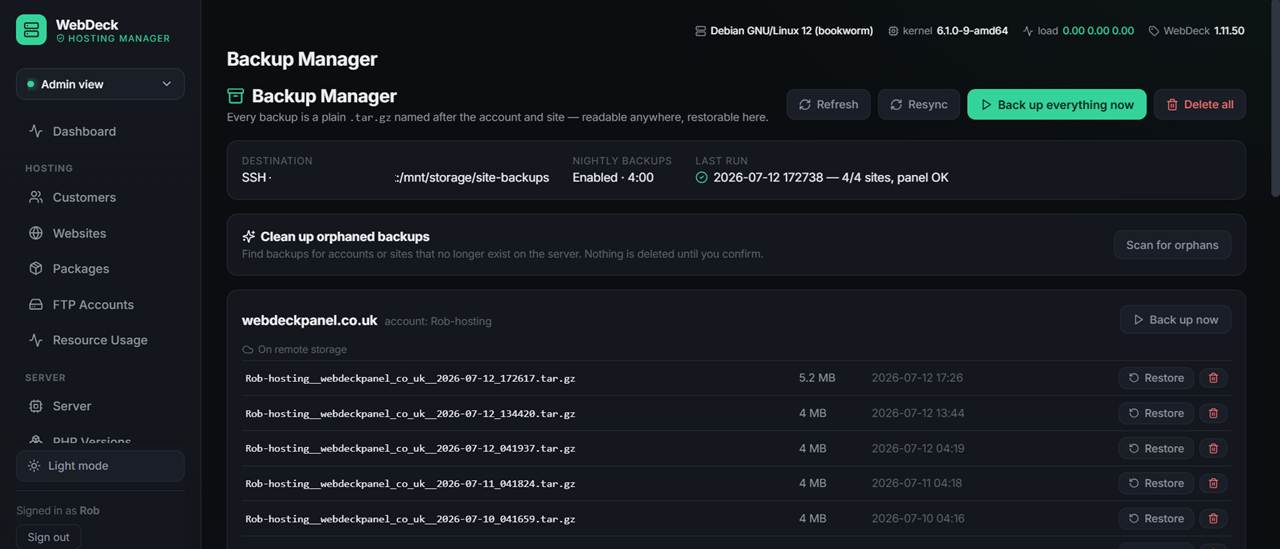
Backups & disaster recovery
Not "we tar your files up". WebDeck rebuilds an entire server onto bare metal — and tests its own backups to prove they'd actually work.
- Scheduled backups — daily, weekly, retention you choose
- Off-site — SFTP and rclone (S3, Backblaze B2, Drive and more)
- Deduplicated and encrypted — powered by restic
- Full server restore — rebuild a dead server from scratch
- Per-site restore — roll one site back, leave the rest alone
- Site snapshots — take one before you do something risky
- Customer self-restore — scoped to their own domains
- Backup self-test — an untested backup isn't a backup
Databases & phpMyAdmin
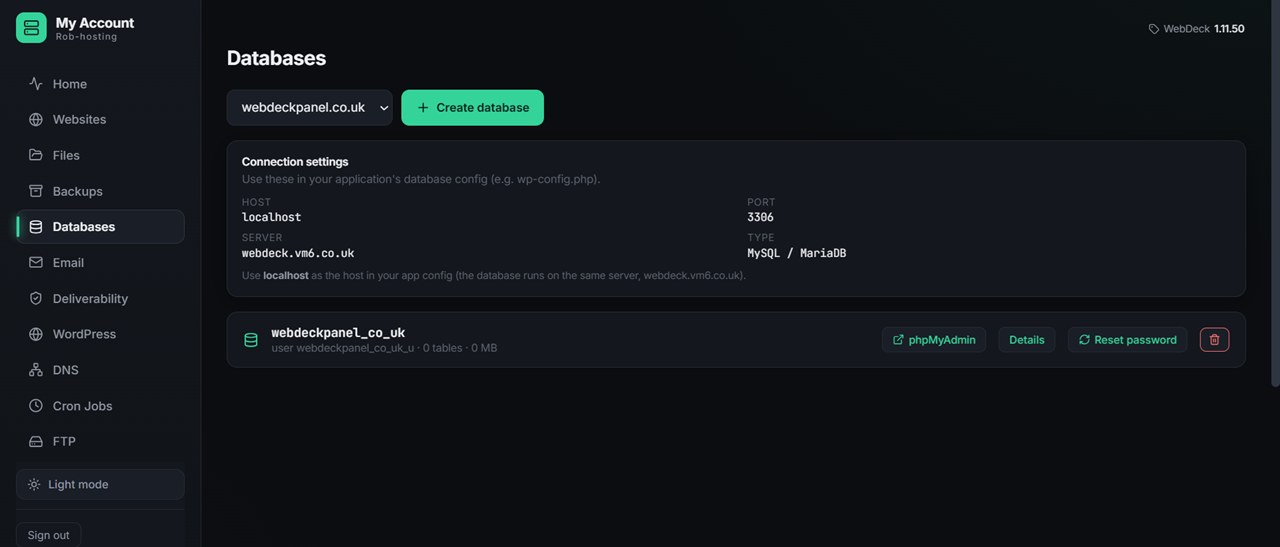
MySQL and MariaDB, with phpMyAdmin one click away and single sign-on so nobody has to remember another password.
- Create databases and users from the panel
- phpMyAdmin built in — with single sign-on
- Scoped privileges — a user per database
- Remote MySQL access control
- Included in backups — dumped and restored with the site
- Or install Adminer if that's more your thing
Authoritative DNS
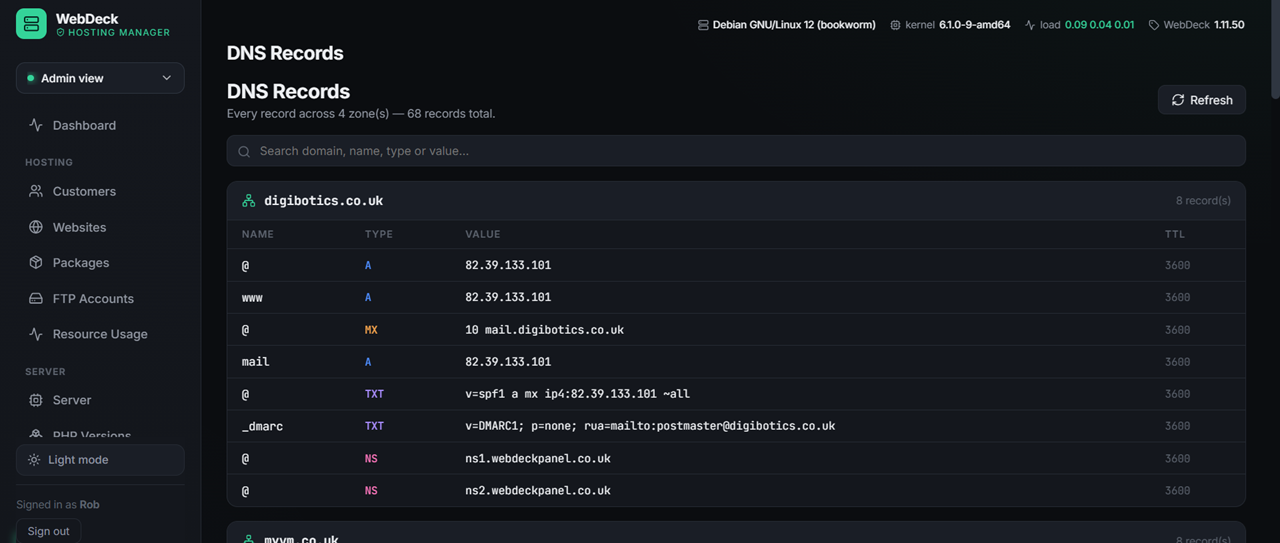
Run your own nameservers with PowerDNS. Zones are created automatically when you add a site, and WebDeck watches them to make sure they stay healthy.
- Your own nameservers — ns1/ns2 on your domain
- Automatic zone creation when a site is added
- Full record editor — A, AAAA, CNAME, MX, TXT, SRV, CAA
- DNS templates — apply a standard record set in one click
- Secondary nameservers — a full DNS cluster, set up remotely from the panel
- DNS health monitoring — spot a nameserver drifting out of sync
- Mail records published for you — MX, SPF, DKIM, DMARC
Secondary DNS cluster New in 2.2.5
One nameserver is a single point of failure. Add a second machine and WebDeck puts a full copy of every zone on it, so your customers' DNS keeps answering even if the main server is offline. You run one command on the new box — it installs PowerDNS, configures itself as a secondary and registers back with the panel on its own.
- One command to enrol — no SSH keys or root credentials leave the panel
- Every zone transferred automatically over AXFR, and kept in step
- NS records updated for you — once a secondary is confirmed serving, it's added to your zones' NS records so domains actually use it
- As many secondaries as you like — there's no cap
- Live health per server — zones in sync, PowerDNS version, OS, last seen
- Safe by design — a single-use token that expires, and guards that refuse to bulk-delete zones if the primary ever looks wrong
- Retire a nameserver safely — disable one only once a healthy secondary exists, never leaving you below two
- Debian, Ubuntu, AlmaLinux, Rocky and RHEL — the right PowerDNS setup for each
PHP, done properly
Multiple versions side by side, and — since 2.2.0 — a complete PHP environment per website: each site's version, modules and settings are its own, isolated from every other site. Works on every OS and every web stack, not just Debian.
- Multiple PHP versions installed together
- Per-site version — legacy app on 7.4, new one on 8.3
- Per-site modules — each website toggles its own, affecting no one else
- Per-site PHP settings — memory, upload size, execution time
- ionCube loader — one click (WHMCS and friends)
- OPcache and the performance modules
- FPM pool tuning per site for busy hosts
- Self-healing — repairs broken module config automatically
Trusted HTTPS from minute one
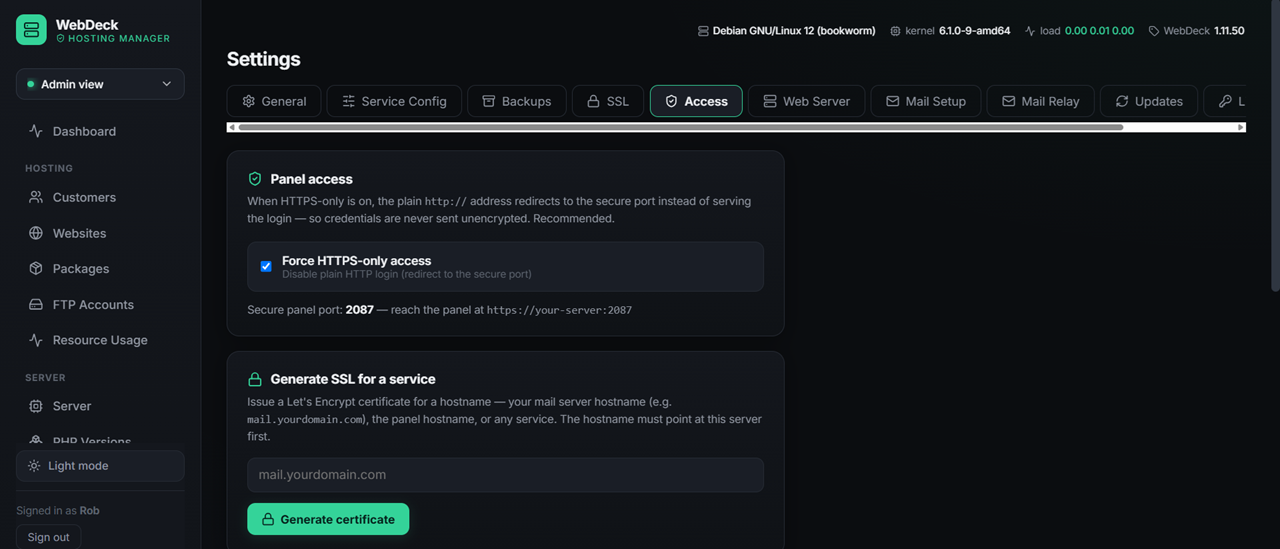
The bit every other panel gets wrong. A fresh WebDeck install gets a free hostname with a browser-trusted certificate — so the panel has a padlock before you've pointed a single domain at the box.
- Free hostname —
srv-a1b2c3.wd-server.co.uk, on install - Trusted certificate — fetched, installed and renewed for you
- No browser warnings on a brand-new server
- Let's Encrypt for customer sites — automatic issue and renewal
- Wildcard and multi-domain certificates supported
- Fail-safe — if anything's unreachable, the panel keeps working
Resellers & white-label
Four roles, real quotas with overselling protection, and branding that cascades — your reseller's customers see your reseller's brand, never yours.
- Admin → master reseller → reseller → user
- Package types — a package's type creates the right kind of account automatically
- Packages — disk, bandwidth, sites, databases, email, with an Unlimited tickbox on any limit
- Dedicated resource pools — CPU/RAM/process caps per plan that cascade to a reseller's customers' sites
- Overselling protection — can't allocate what you don't have
- White-label branding — name, logo, colours, favicon
- Branding cascades down the hierarchy automatically
- Resellers never see the server — or the isolation controls; only their own customers
- Suspend and unsuspend accounts
- WHMCS module — sell all three levels automatically
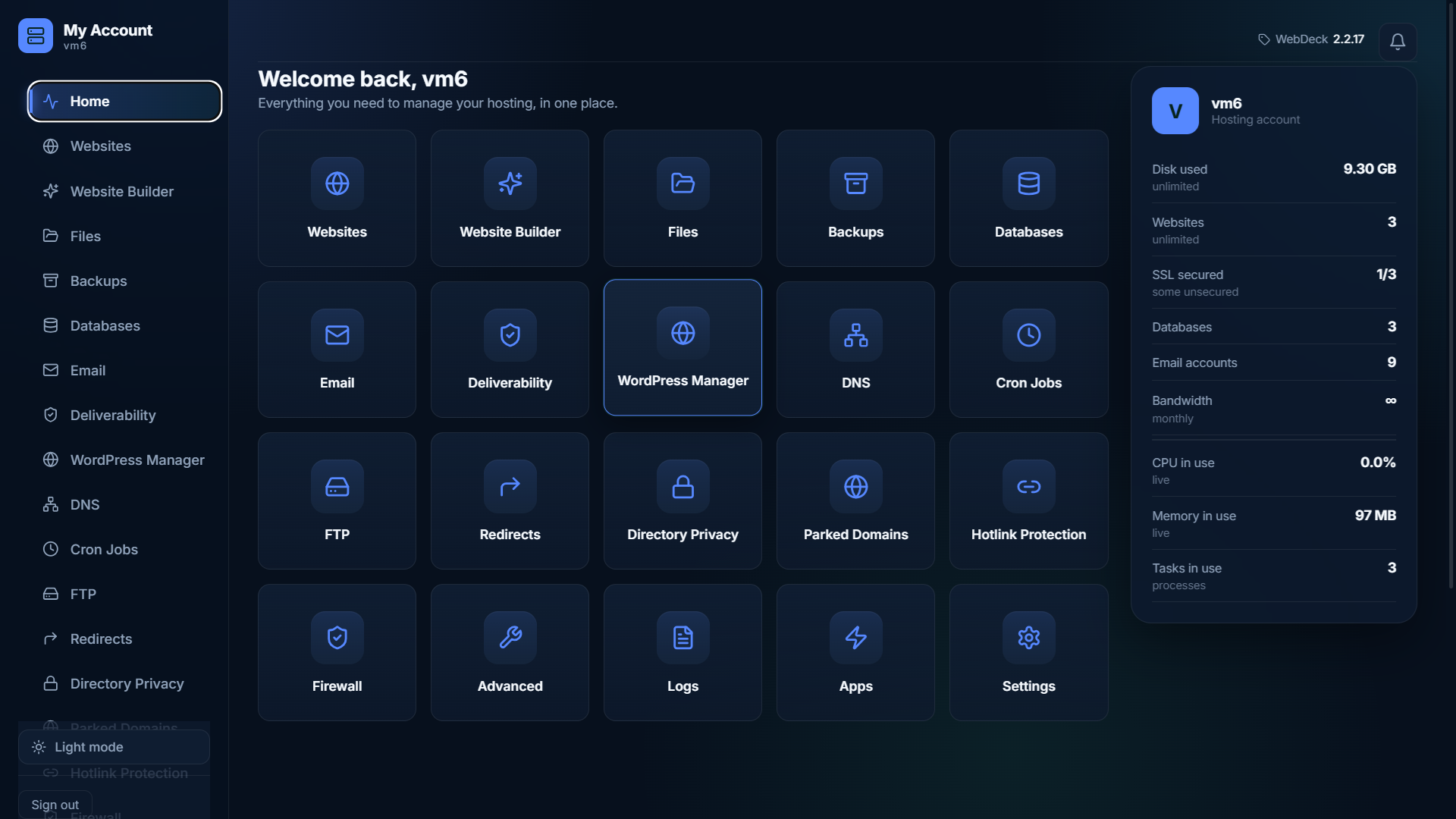
Branding & white-label
Make WebDeck yours. Your name, your logo, your colours — customers never see ours.
- Your brand name replaces WebDeck throughout the panel
- Your logo and favicon
- Your colours — match the panel to your own site
- Three brand colours 2.2.13 — accent, secondary and a positive/success colour, used across every theme
- Three interface themes 2.2.13 — Aurora (modern glass, the default), Classic and Console; light and dark, with dark mode the default on new installs
- Cascades to resellers — their customers see their brand, not yours
- Applies to the whole panel, not just a login page
- Free — white-labelling isn't a paid tier
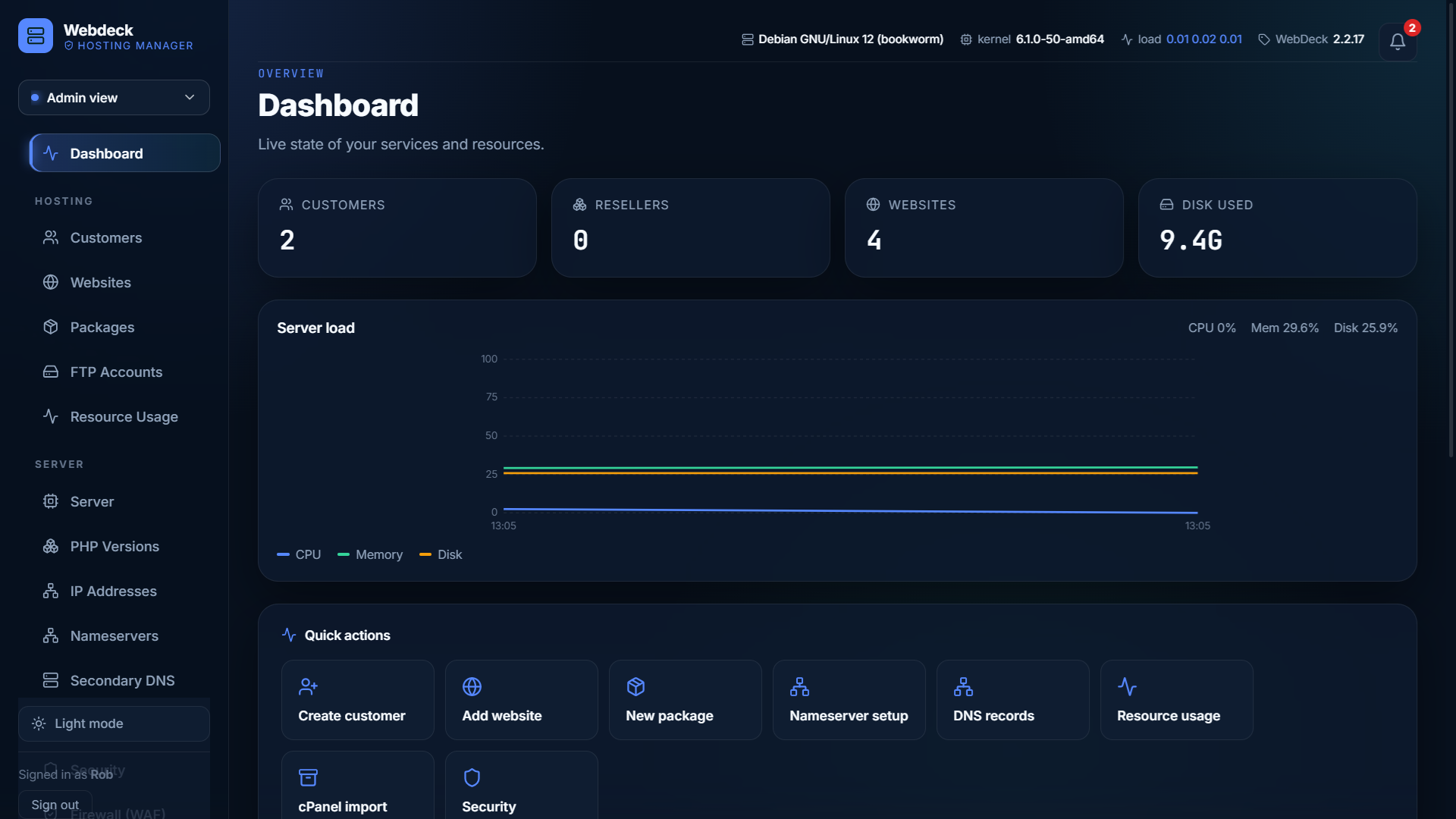
Account isolation
Customers confined to their own files, unable to see each other, and unable to hog the box. Kernel-enforced resource caps — the thing people buy CloudLinux for, built in. Since 2.2.0 each site's caps, PHP version, modules and settings all live on one per-site environment, so isolation is complete. No CloudLinux licence, and SELinux stays enforcing.
- Real per-site CPU, RAM, process & disk-I/O caps — enforced by the Linux kernel, not just PHP
- Give any site its own capped PHP process so it can't starve the others
- SELinux stays enforcing — unlike cPanel and CyberPanel, nothing gets disabled
- No CloudLinux required — the per-tenant isolation is included
- View history — RAM and process usage graphs per isolated site, over hours or days
- Isolation control centre — set caps per site or per account, with bulk actions and defaults
- Confined to their own files — automatic on every new SFTP/SSH account
- Self-healing — a per-site pool can never take down the shared server; the panel repairs itself on boot
- Works across Debian and RHEL-family Linux — not just one distro
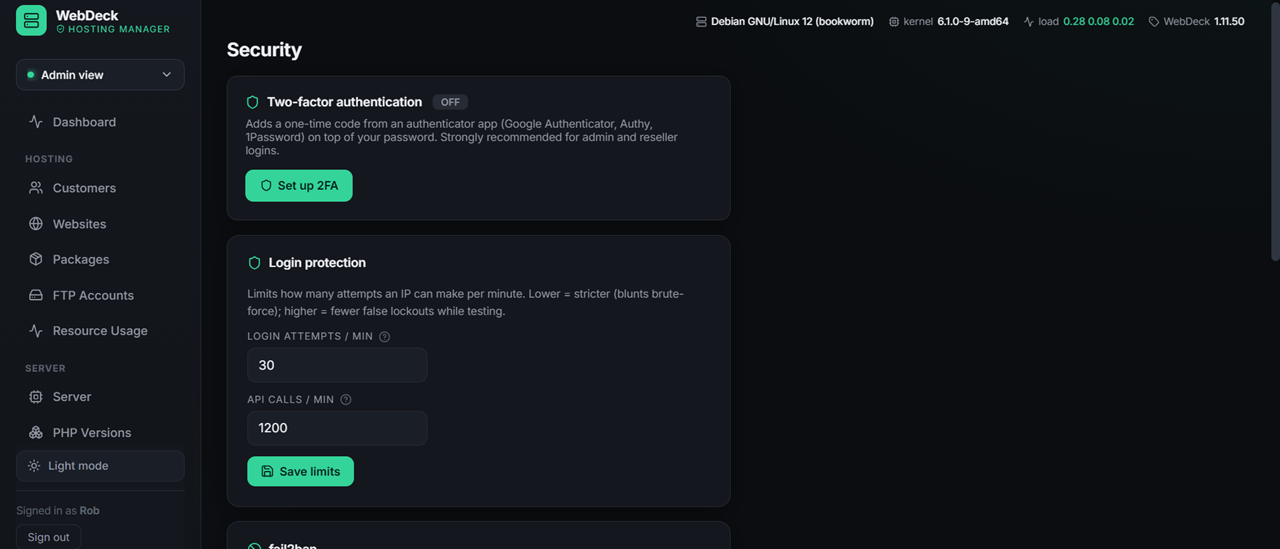
Security WAF — 2.2.9
Sensible defaults, not a checkbox exercise.
- Per-site isolation 2.2.13 — each website runs as its own system user, so code on one site can never read or change another's files. A real OS-level boundary between accounts, not just a software check; apps with data outside the web folder (WHMCS, etc.) are handled automatically
- Web Application Firewall — ModSecurity + the OWASP Core Rule Set, catching SQL injection, XSS, path traversal and scanners. Installs in detection-only; plain-English protection levels; blocks nothing until you choose to. Apache and nginx. New in 2.2.9.
- Per-customer firewall view — each account sees the detections on their own domains, and can set detect or block per site
- Hotlink protection — stop other sites embedding your images and using your bandwidth, with a CDN allow-list
- On-demand malware scanning — ClamAV, scan any site's files from the panel
- Hide web server version — stop Apache/nginx advertising their exact version to scanners
- Two-factor authentication (TOTP) on panel logins, with replay protection
- fail2ban — brute-force protection, managed from the panel
- Firewall management from the interface
- Login rate limiting — configurable per minute
- API keys — scoped, and lockable to a single IP
- Directory privacy — password-protect any folder
- SSH key management
- Audit log — every action, with who and when
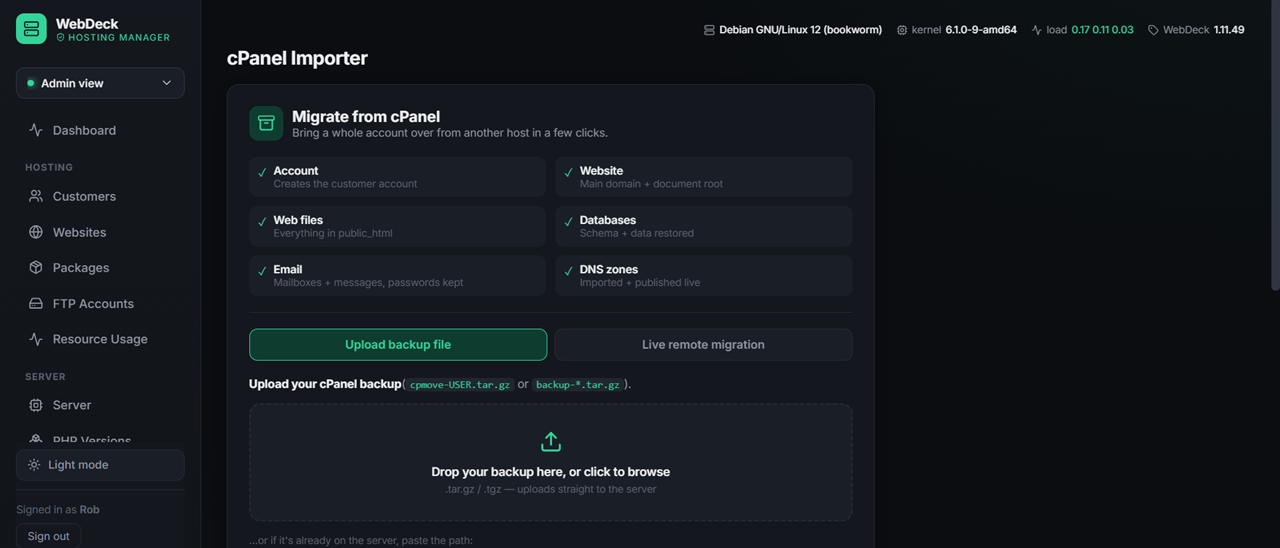
Migrating from cPanel
Point the importer at a cPanel backup and it recreates the account properly — not a half-import that leaves you fixing things for a week.
- Reads standard cPanel archives (cpmove / full backups)
- Websites and document roots recreated
- Databases and users restored with privileges
- Email accounts and their mail
- DNS records imported
- Bulk import — move a whole server, not one account at a time
- Remote pull — fetch backups straight from the old server
- Preflight check — see what will happen before it happens
Server management & self-healing
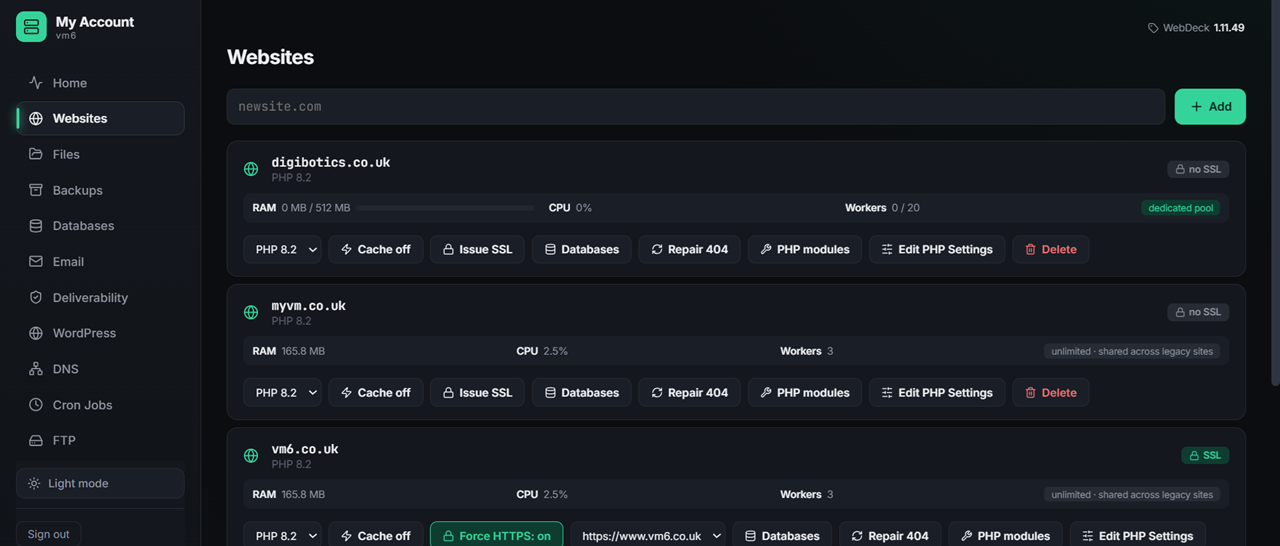
The panel knows how the server is doing — and fixes most problems before you find out about them.
- Live CPU, memory, disk and load
- Self-healing reconcile — rebuilds vhosts, renews certs, restarts services
- Self-healing permissions 2.2.18 — web server access, wp-config, certificate keys and the panel’s own secrets kept correct automatically
- Email notifications — service down, backups, low disk, security and more, with per-alert toggles
- Notification bell in the header — the same alerts, in the panel, whether or not email is set up
- Health checks — vhosts, certificates, mail delivery
- Service control — start, stop, restart from the panel
- Resource usage per account and per site
- Disk usage breakdown — find what's eating the disk
- Data inspector — look inside the panel's own database
- Self-updating — with automatic rollback if an update fails